ChordProf
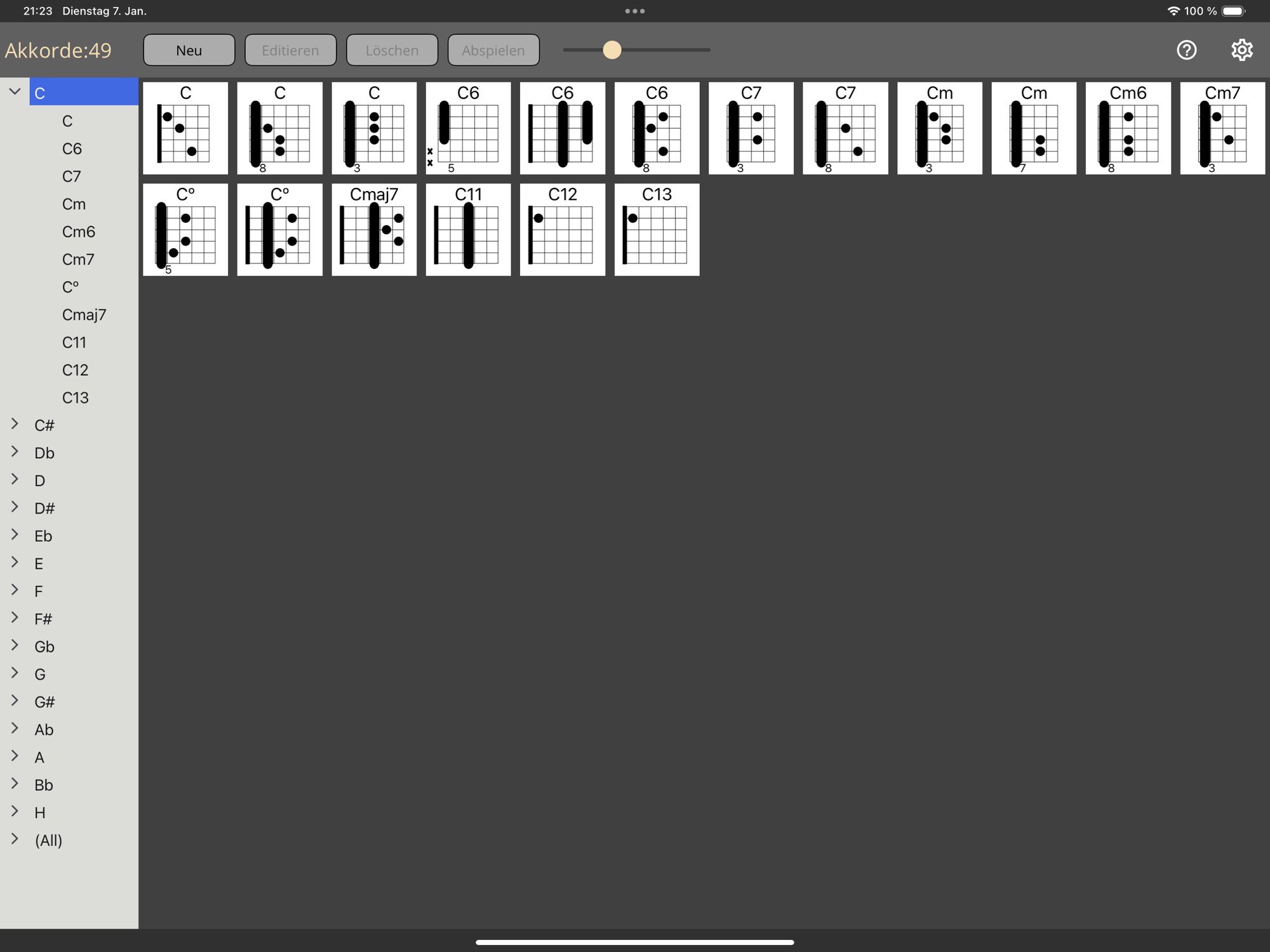
Features:
- Library of guitar-chords
- Extend the library by own chords
- Drag/Drop Chords to a word-processor for creating Lead-Sheets
Download Link AppStore:
Link
Version-History:
Version-History:
ChordProf User Guide V1.1
1. Overview
The main use-case for ChordProf is to drag/drop chord-diagrams into a word-processor – like „Microsoft Word“ or „Apple Pages“.
I (as a guitar-player in a live-band) personally needed that for creating guitar-song-sheets.
Chordprof is currently available for:
- iOS
- MacCatalyst
In the future it will (maybe) also be available for Android.
The App is free - and is the second released App in a planned series of „Apps for musicians“.
Comments/Proposals/Reviews/Experiences with it are welcome!
You can contact me with the e-mail info@midiprof.de
2. Functionality of „ChordProf“
- Drag/Drop chord-diagrams to other Apps - like word-processors
- Dictionary for Guitar-Chords
- Possiblility to extend the dictionary by own created chord-diagrams
- Export/Import the Chord-Definitions
- UI-Language can be configured
- New in V1.1:
- Chords can be listened to
- Migrate Chords from V1.0 to the new version V1.1
3. User-Interface of ChordProf
3.1 App-Window
- The tree-views shows all the Chords in a hierarchical structure
- If the “Main-Chord” entry is opened, the “Sub-Chords” can be seen.
- The selection of the Main-Chords shows all Chords for that Main-Chord.
- The size of the Chords can be changed by the zoom-slider – or by a Pinch-Gesture.
- A selected chord can be played - with the Play-Button
3.2 Edit/Create Chord Dialog
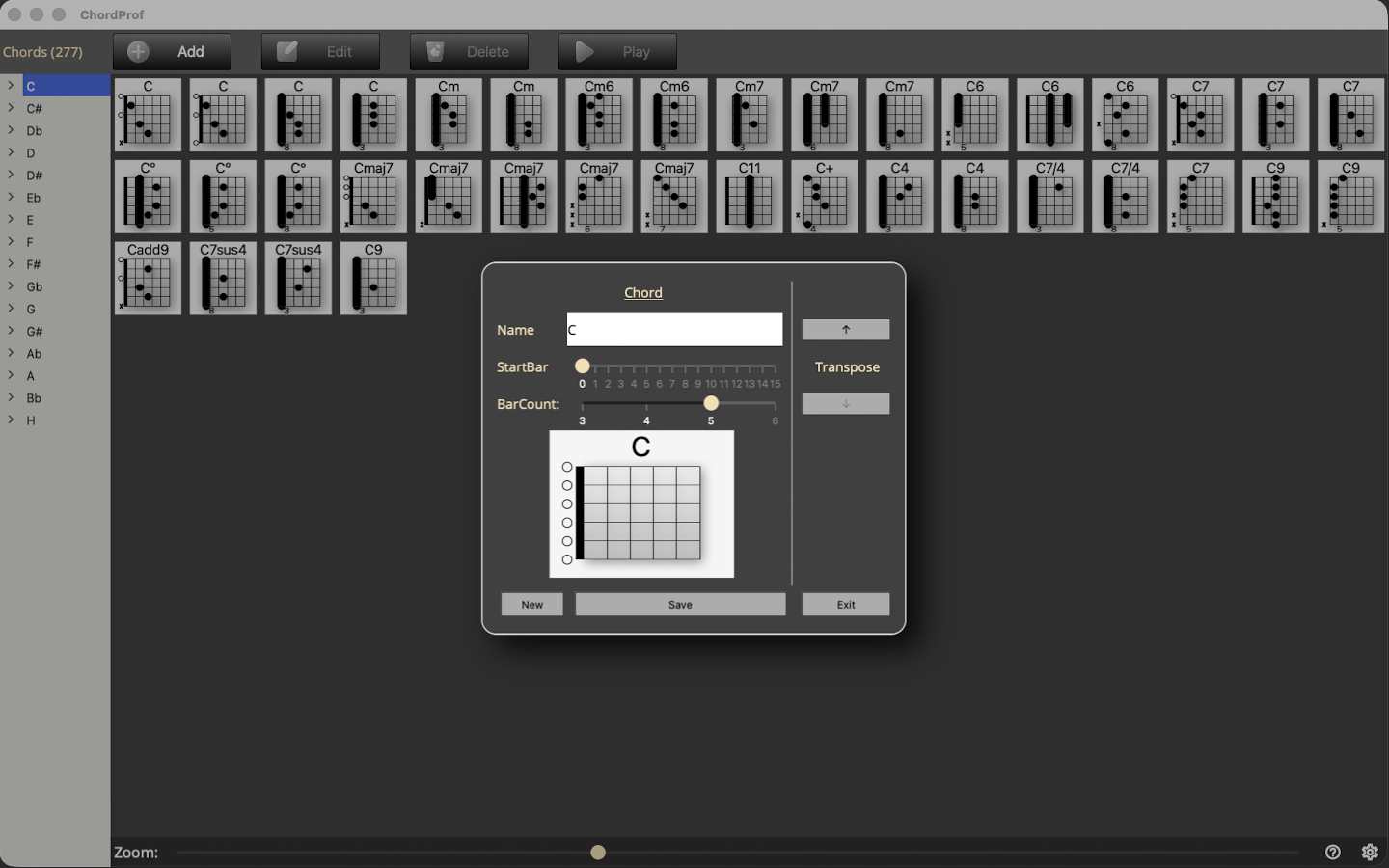
- With that dialog, existing chord can be edited – and new chords can be created.
- If an existing chord is edited - or a new configured Chord is finished, it can be saved with the “Save” Button”
- With the “Transpose” Buttons an existing Chord can be reused with a different Start-Bar
- The Dialog can be exited with the Exit-Button
3.3 Settings: Language
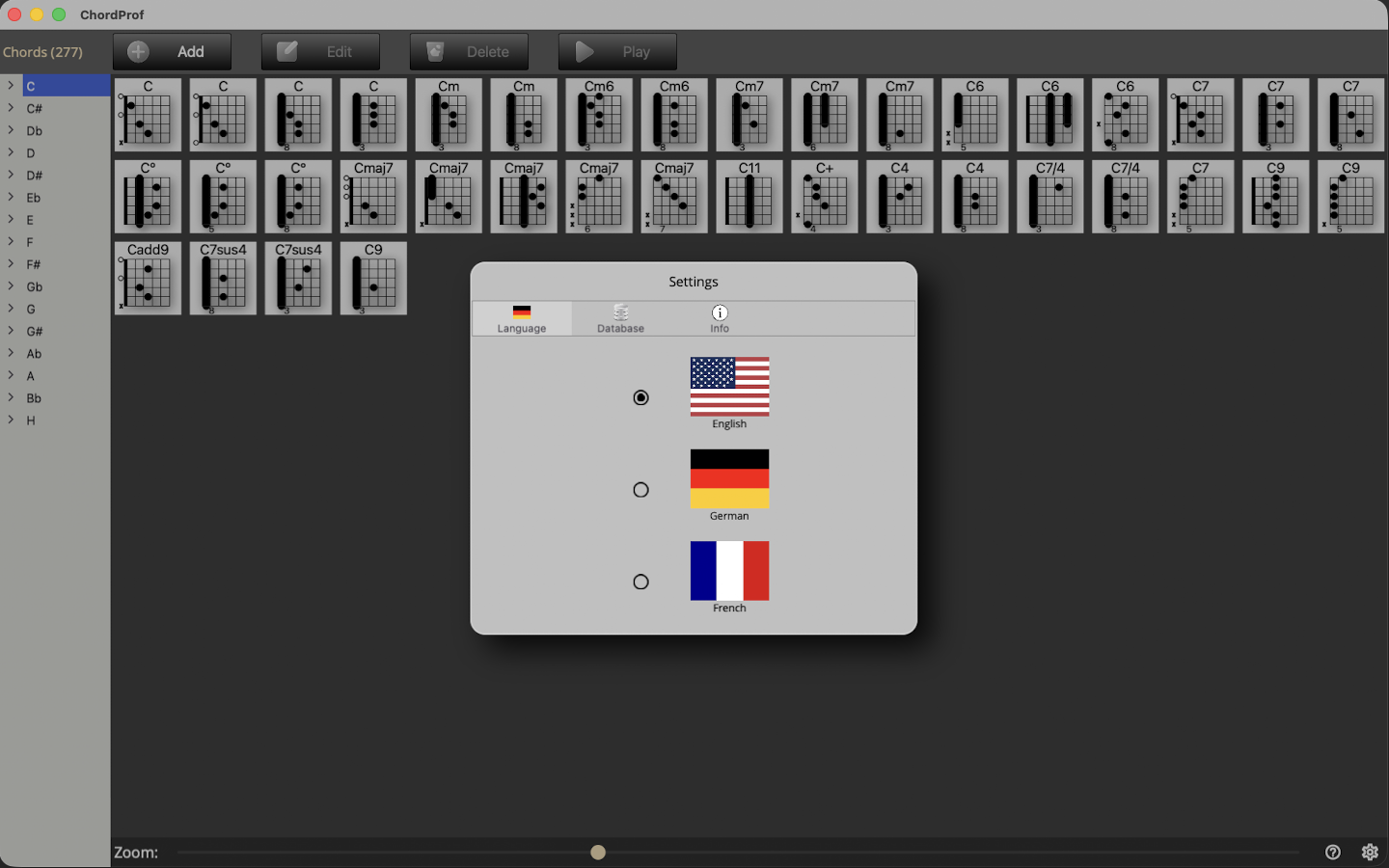
Currently, 3 languages are available:
- English
- German
- French
3.3 Settings: Database
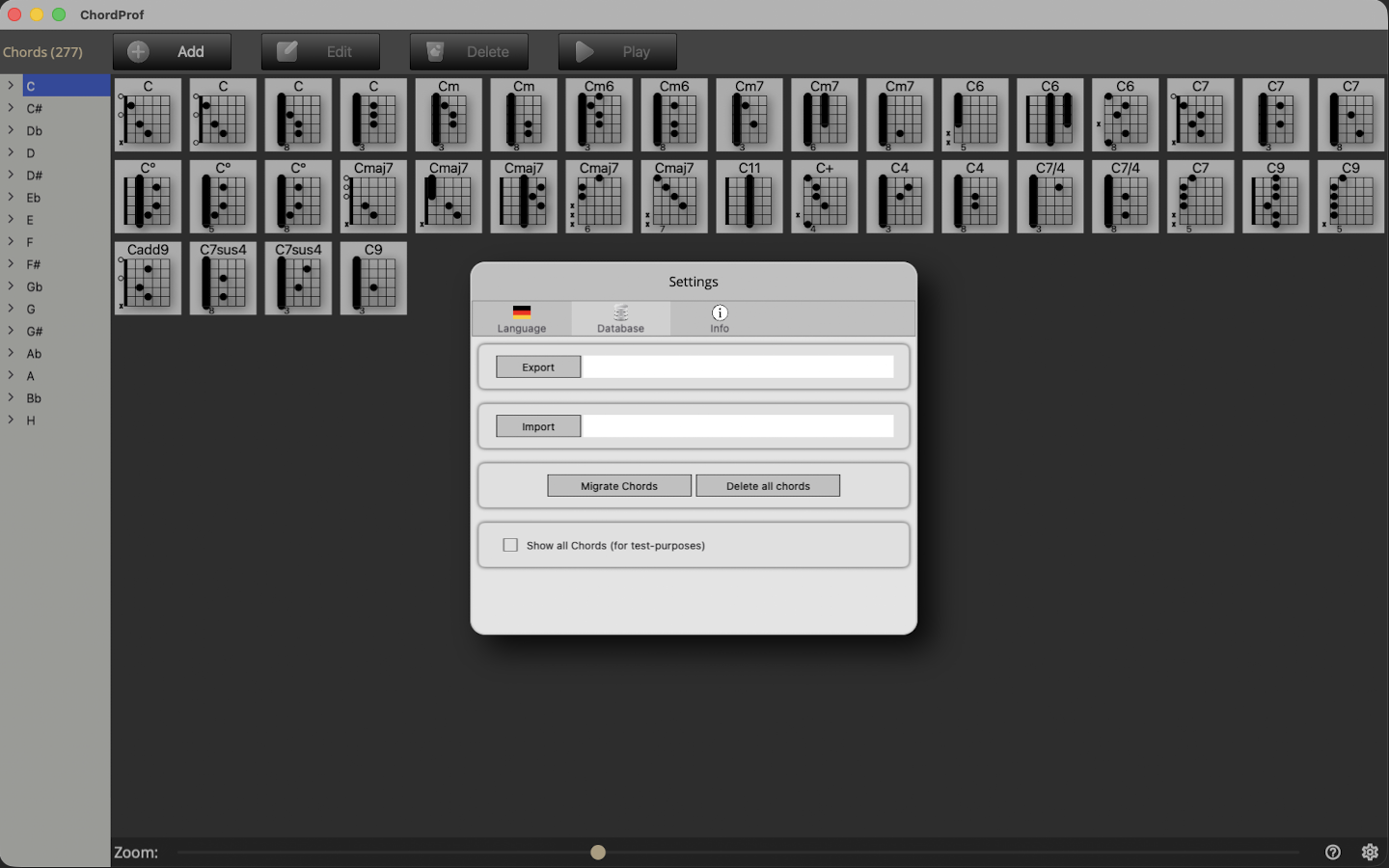
The chord-definitions of the App can be exported or imported – and all chords can be deleted.
Warning:
If an Import is done, all the current data of the App is overwritten.
3.4 Settings: Database: Migrate Chords
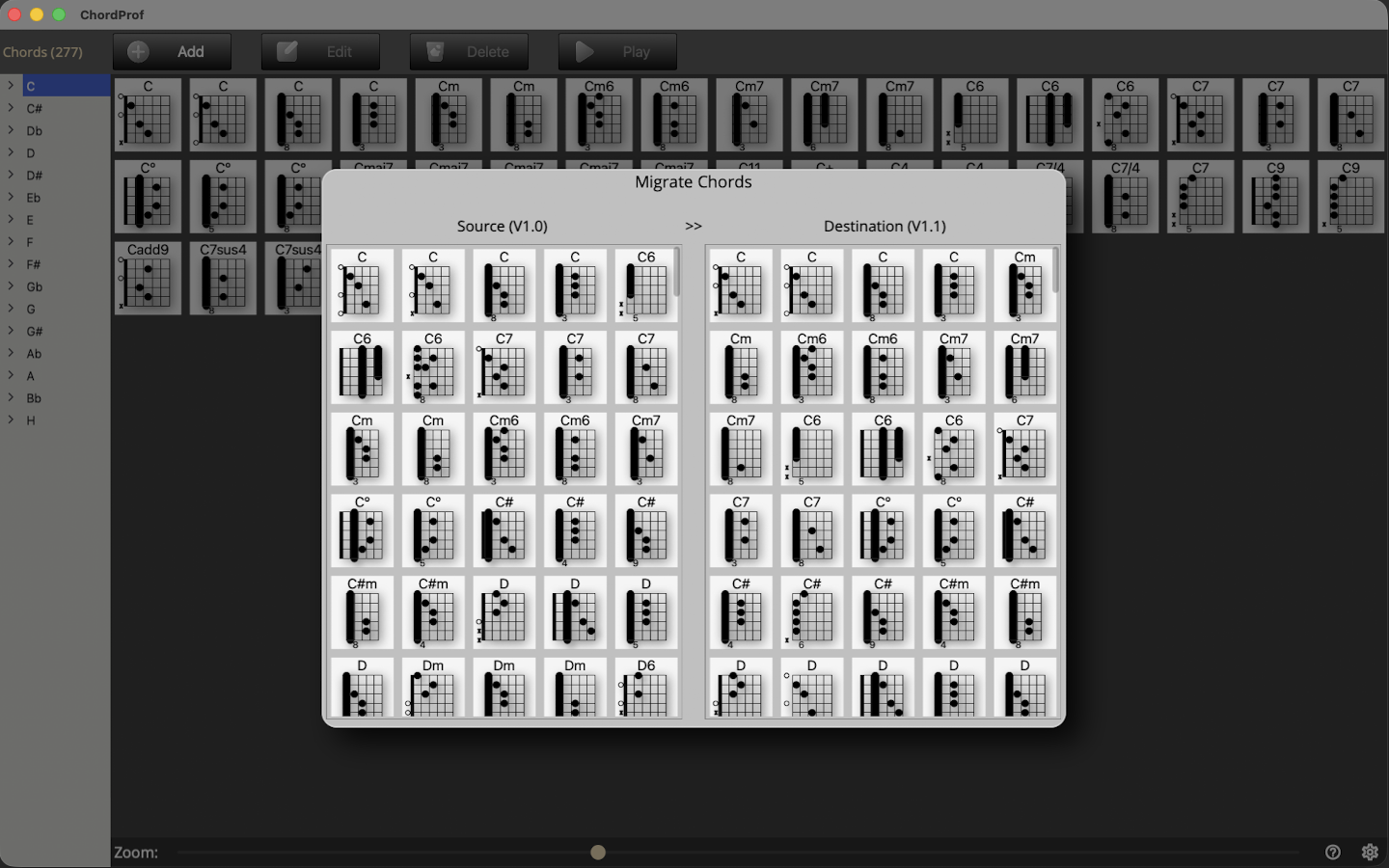
Chord definitions from V1-installation can be migrated to V1.1.
This is done by drag/dropping a chord from Source (V1.0) to Destination (V1.1)
© MidiProf